
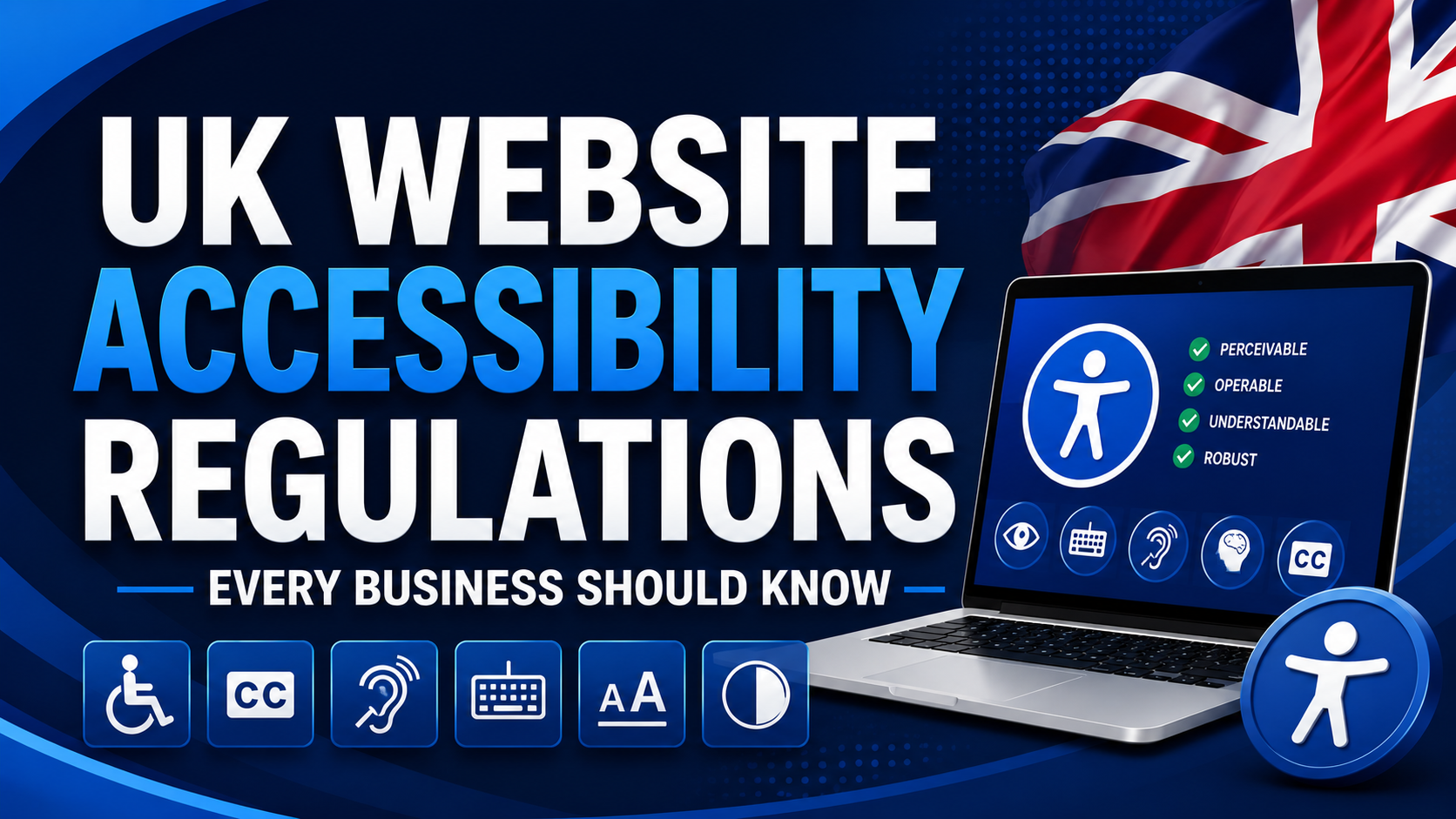
UK website accessibility regulations primarily stem from the Equality Act 2010 and internationally recognized WCAG guidelines. Businesses are expected to make reasonable adjustments to ensure websites are accessible to people with disabilities. Compliance reduces legal risk, improves user experience, strengthens SEO performance, and supports digital inclusion.
Introduction
Digital accessibility is no longer a niche concern reserved for government organizations or large corporations. In today’s digital-first economy, websites serve as critical touchpoints between businesses and customers. Whether you’re running an eCommerce store, professional services firm, SaaS platform, or local business website, accessibility has become a legal, ethical, and commercial necessity.
Approximately 16 million people in the UK live with a disability, representing nearly one in four people. Many rely on assistive technologies such as screen readers, keyboard navigation, speech recognition software, and alternative input devices to access digital content. According to the UK Government, inaccessible websites can create significant barriers to participation in everyday activities and online services.
As awareness grows and regulatory scrutiny increases, understanding UK Website Accessibility Regulations has become essential for business owners, marketing managers, developers, and corporate decision-makers.
This guide explains the laws, standards, compliance requirements, risks, and practical steps businesses should take to ensure their websites are accessible and legally compliant.
What Are UK Website Accessibility Regulations?
Definition
UK Website Accessibility Regulations refer to the legal obligations, standards, and best practices that require websites and digital services to be accessible to people with disabilities.
These regulations aim to ensure equal access to online information, products, and services regardless of an individual’s physical, sensory, cognitive, or neurological abilities.
Definition Box
Website Accessibility
Website accessibility is the practice of designing and developing digital content so that people with disabilities can perceive, understand, navigate, and interact with websites effectively.
Purpose of Accessibility Regulations
The primary objectives are to:
- Prevent discrimination against disabled users
- Promote equal access to digital services
- Improve user experience for all visitors
- Support social inclusion
- Encourage accessible digital innovation
Who Do They Apply To?
Website accessibility requirements affect:
- Private businesses
- SMEs
- eCommerce websites
- Financial services organizations
- Educational institutions
- Healthcare providers
- Public sector organizations
- Non-profit organizations
Although public sector bodies face specific legal obligations, private businesses are also expected to provide accessible digital experiences under broader anti-discrimination laws.
What Are UK Website Accessibility Regulations?
UK website accessibility regulations are legal and technical requirements designed to ensure websites are usable by people with disabilities. They are primarily supported by the Equality Act 2010 and accessibility standards such as WCAG, requiring organizations to provide accessible digital services and make reasonable adjustments for disabled users.
Key Accessibility Laws Businesses Should Know
Equality Act 2010
The Equality Act 2010 is the cornerstone of UK accessibility laws.
The Act protects individuals from discrimination based on protected characteristics, including disability.
Why It Matters for Websites
Businesses providing goods, services, or information online must ensure disabled users are not disadvantaged compared to non-disabled users.
This obligation includes:
- Website navigation
- Online forms
- eCommerce checkout processes
- Customer service portals
- Mobile applications
Equality Act 2010 Website Accessibility
The Act does not prescribe specific technical requirements. However, following WCAG standards is widely recognized as evidence that reasonable accessibility measures have been implemented.
Public Sector Bodies Accessibility Regulations 2018
The Public Sector Bodies (Websites and Mobile Applications) Accessibility Regulations 2018 impose specific obligations on public sector organizations.
Requirements include:
- Meeting WCAG accessibility standards
- Publishing accessibility statements
- Fixing identified accessibility issues
- Regular accessibility monitoring
While these regulations directly apply to public sector bodies, many private organizations adopt the same standards to demonstrate digital accessibility compliance.
WCAG 2.2 Guidelines
What Is WCAG Compliance?
The Web Content Accessibility Guidelines (WCAG) are the globally recognized accessibility framework developed by the World Wide Web Consortium (W3C).
WCAG is organized around four core principles:
| Principle | Description |
|---|---|
| Perceivable | Content must be visible or understandable through alternative formats |
| Operable | Users must be able to navigate and interact with content |
| Understandable | Information should be easy to comprehend |
| Robust | Content should work with assistive technologies |
WCAG Conformance Levels
| Level | Purpose |
|---|---|
| A | Basic accessibility requirements |
| AA | Recommended compliance standard |
| AAA | Enhanced accessibility level |
Most UK accessibility initiatives target WCAG 2.1 AA or WCAG 2.2 AA compliance.
UK Government Accessibility Standards
The Government Digital Service (GDS) recommends adherence to WCAG standards and user-centered design principles to ensure accessibility across digital services.
These standards emphasize:
- Inclusive design
- User testing
- Accessibility statements
- Continuous monitoring
Why Accessibility Compliance Matters
Legal Protection
Failure to address accessibility barriers may expose businesses to complaints, discrimination claims, and regulatory scrutiny.
Accessibility compliance demonstrates proactive efforts to meet obligations under UK accessibility laws.
Better User Experience
Accessible websites often provide superior experiences for everyone, including:
- Older adults
- Mobile users
- Users with temporary impairments
- Visitors in low-bandwidth environments
SEO Benefits
Many accessibility improvements align directly with SEO best practices.
Examples include:
- Descriptive alt text
- Semantic HTML
- Logical heading structures
- Clear navigation
- Improved page usability
Search engines and accessibility technologies both rely on structured, machine-readable content.
Increased Conversions
Accessibility improvements can reduce friction during:
- Product browsing
- Form completion
- Checkout processes
- Customer support interactions
Businesses that improve accessibility frequently experience improved conversion rates and reduced abandonment.
Stronger Brand Reputation
Consumers increasingly expect businesses to demonstrate inclusivity and social responsibility.
Accessible websites help build:
- Customer trust
- Brand loyalty
- Corporate credibility
- Positive public perception
ADA vs UK Accessibility Laws
| Area | UK Accessibility Laws | ADA (United States) |
|---|---|---|
| Primary Legislation | Equality Act 2010 | Americans with Disabilities Act |
| Scope | Goods and services accessibility | Public accommodations and services |
| Technical Standard | WCAG commonly used | WCAG widely adopted |
| Enforcement | EHRC and courts | DOJ and civil litigation |
| Public Sector Rules | Accessibility Regulations 2018 | Section 508 for federal agencies |
Although the legal frameworks differ, both jurisdictions increasingly rely on WCAG standards.
Common Accessibility Issues Businesses Overlook
Missing Alt Text
Images without alternative text cannot be understood by screen reader users.
Example
Instead of:
“image.jpg”
Use:
“Red leather office chair in a modern workspace.”
Poor Colour Contrast
Insufficient contrast makes content difficult to read for users with visual impairments.
WCAG provides specific contrast ratio requirements.
Keyboard Navigation Issues
Many users cannot operate a mouse.
Essential functionality should be accessible through keyboard controls alone.
Inaccessible Forms
Common problems include:
- Missing labels
- Unclear error messages
- Inaccessible dropdown menus
Forms should be easy to complete using assistive technologies.
Video Captioning Problems
Videos without captions exclude users who are deaf or hard of hearing.
Best practices include:
- Closed captions
- Transcripts
- Audio descriptions where appropriate
Website Accessibility Compliance Checklist
Website Accessibility Checklist
| Requirement | Status Check |
|---|---|
| Images have descriptive alt text | □ |
| Proper heading hierarchy used | □ |
| Colour contrast meets WCAG standards | □ |
| Forms have accessible labels | □ |
| Videos include captions | □ |
| Website fully keyboard navigable | □ |
| Focus indicators visible | □ |
| Error messages are clear | □ |
| PDFs are accessible | □ |
| Accessibility statement published | □ |
| Screen reader testing completed | □ |
| WCAG 2.2 AA review completed | □ |
How to Conduct an Accessibility Audit
Step 1: Automated Testing
Use accessibility testing tools such as:
- WAVE
- Axe DevTools
- Lighthouse
- Siteimprove
- Silktide Accessibility Checker
Automated testing quickly identifies common technical issues.
Step 2: Manual Testing
Manual reviews should assess:
- Keyboard navigation
- Screen reader compatibility
- Form usability
- Focus management
- User journeys
Automated tools typically identify only a portion of accessibility issues.
Step 3: User Testing
Testing with people who use assistive technologies provides valuable real-world insights.
This often reveals usability challenges missed by automated scans.
Step 4: Professional Accessibility Audit
An independent accessibility audit UK provider can:
- Conduct comprehensive reviews
- Prioritize remediation efforts
- Provide compliance documentation
- Reduce legal and reputational risks
How Can Businesses Test Website Accessibility?
Businesses can test website accessibility using automated tools such as WAVE, Axe, and Lighthouse, combined with manual keyboard testing, screen reader testing, and professional accessibility audits. A comprehensive review helps identify compliance gaps and improve usability for people with disabilities.
Consequences of Non-Compliance
Legal Risks
Ignoring accessibility requirements may result in:
- Discrimination complaints
- Regulatory investigations
- Legal disputes
- Increased compliance costs
Customer Trust Issues
Users who encounter barriers may:
- Leave the website
- Share negative experiences
- Choose competitors
Accessibility directly impacts customer perception.
Lost Revenue Opportunities
Excluding disabled users means excluding a substantial market segment.
Inaccessible websites can reduce:
- Lead generation
- Sales
- Customer retention
- Brand advocacy
Future Trends in UK Accessibility Regulations
WCAG 2.2 Adoption
Organizations are increasingly moving toward WCAG 2.2 compliance as industry expectations evolve.
New success criteria address:
- Focus visibility
- Dragging alternatives
- Target size requirements
AI-Driven Accessibility Testing
Artificial intelligence is enhancing:
- Automated accessibility detection
- Continuous monitoring
- Content remediation suggestions
However, human evaluation remains essential.
Increasing Regulatory Scrutiny
Accessibility expectations continue to grow across both public and private sectors.
Organizations that adopt proactive accessibility programs will be better positioned to meet future compliance requirements.
Key Takeaways
UK Website Accessibility Regulations at a Glance
- The Equality Act 2010 underpins digital accessibility obligations.
- WCAG 2.2 AA is the most widely accepted compliance benchmark.
- Accessibility benefits users, businesses, and search visibility.
- Automated testing alone is insufficient.
- Regular accessibility audits reduce legal and commercial risks.
- Accessibility should be integrated into ongoing website management.
Frequently Asked Questions (FAQ)
What are UK website accessibility regulations?
UK website accessibility regulations are legal and technical requirements designed to ensure websites can be accessed and used by people with disabilities. They are primarily supported by the Equality Act 2010 and WCAG standards.
Is website accessibility mandatory in the UK?
Yes. Public sector organizations have explicit legal obligations, while private businesses are expected to make reasonable adjustments under the Equality Act 2010 to avoid discrimination against disabled users.
What is WCAG compliance?
WCAG compliance means meeting the Web Content Accessibility Guidelines developed by W3C. These standards help ensure digital content is accessible to users with disabilities.
Who needs to comply with UK accessibility laws?
Public sector organizations, businesses, charities, educational institutions, healthcare providers, and eCommerce websites all have accessibility responsibilities when providing digital services.
What happens if a business ignores accessibility requirements?
Businesses may face discrimination complaints, reputational damage, customer loss, legal action, and increased remediation costs.
How to make a website WCAG compliant?
A website becomes WCAG compliant by implementing accessible design and development practices, including alt text, keyboard navigation, accessible forms, sufficient colour contrast, captions, and regular accessibility testing.
Sources: GOV.UK Accessibility Guidance, Equality and Human Rights Commission (EHRC), UK Government Digital Service (GDS), and the W3C Web Content Accessibility Guidelines (WCAG 2.2). These authorities provide the primary framework for website accessibility compliance in the UK.